AVstudio AUDES
AVstudio Inc.

Modern tools for intuitive control.

Design, run and install HTML5 control interfaces for AV, IT, automation and IoT systems. One ecosystem for integrators who want a consistent experience across every connected space.

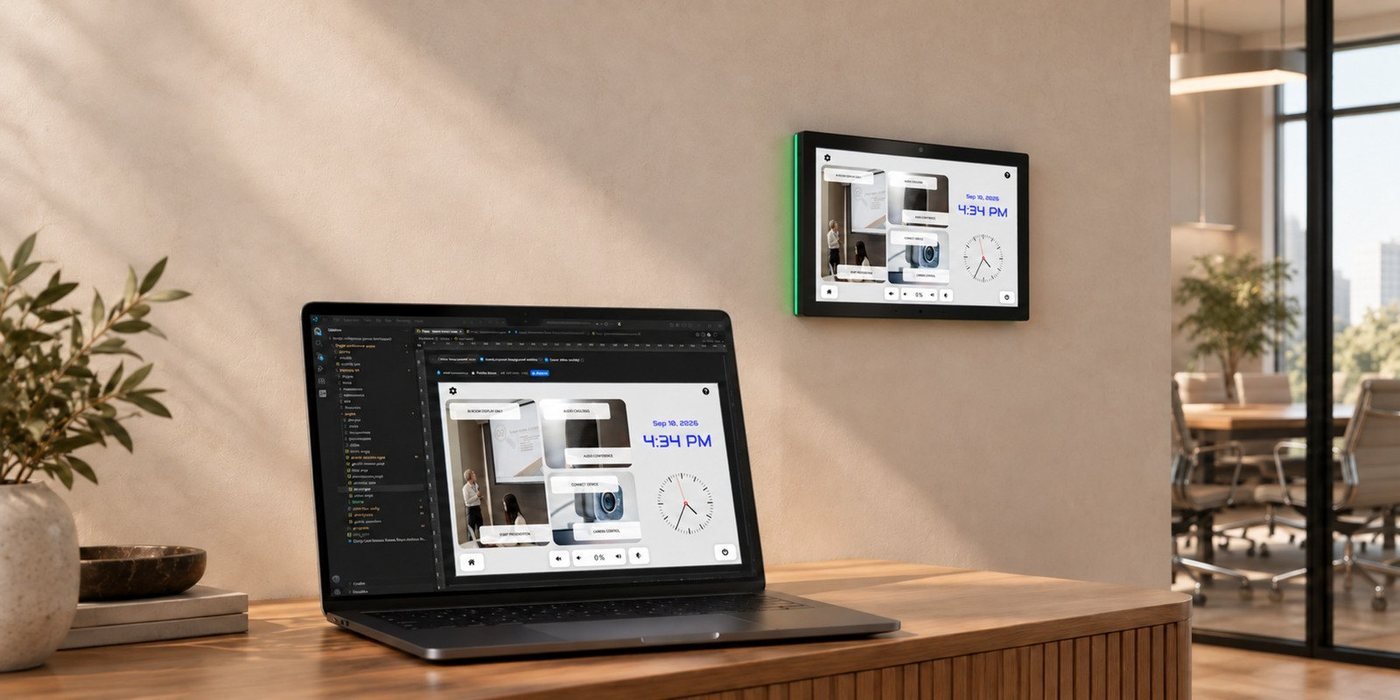
A laptop running AVstudio Editor NG beside a wall-mounted AVS touch panel showing the same room-control interface
About

About AVstudio Inc.

AVstudio Inc. develops tools for creating and running HTML5 control interfaces for AV, IT, automation and IoT systems. Its ecosystem combines visual interface design, mobile software and professional touch panels.

Our story
2022

The AVstudio journey begins, focused on making modern AV interfaces easier to create.

2025

AVstudio Inc. is spun off from AVgator Inc. to develop the platform and expand its product ecosystem.

Design

Editor NG

Brings visual creation and code into one VS Code workflow.

Run

App Container

Brings compatible HTML5 interfaces to iOS and Android.

Install

AVS Touch Panels

Bring dedicated control to permanent installations.

Touch Panel

Touch Panels AVS-10 and AVS-15

Bring room control to a dedicated wall-mounted interface. AVS-10 and AVS-15 combine local HTML5 execution, equipment connectivity and App Container in professional touch panel hardware.

AVS-10 and AVS-15 touch panels with blue status lighting, showing a room-control interface
Choose your panelAVS-10AVS-15
Display10.1-inch IPS / 16:1015.6-inch IPS / 16:9
Resolution1280 × 8001920 × 1080
PlatformAndroid 14Android 14
Memory / storage4 GB RAM / 64 GB4 GB RAM / 64 GB

Power and connectivity

Gigabit Ethernet with PoE+, Wi-Fi 6 and Bluetooth 5.3. Integrated interfaces connect to compatible equipment.

RS-232RS-485RelayDigital I/OIR

More than a display

Programmable RGB status lighting, environmental sensors, camera, microphones and speakers support control and communication workflows, including compatible SIP intercom systems.

Specifications: avstudio.app/products/avs-touch-panel/ and docs.avstudio.app/avs-touch-panel/

AVstudio Editor NG · A unified workflow

Visual when you want it.
Code when you need it.

Build AV and automation interfaces visually inside Visual Studio Code, with direct access to the underlying project. Design pages, edit code, work with Git and connect a compatible AI assistant in one workflow.

Visual Studio Code
AVstudio NG
Editor NG open in Visual Studio Code, with the project tree on the left and a live room-control page in the visual editor
Visual interface design

Build pages, controls and layouts with reusable subpages and shared themes.

Equipment & live data

Use Crestron, KNX BAOS, MQTT, HTTP and WebSocket connections.

Live preview

Try navigation, controls and connected feedback in a browser as you work.

Files you can maintain

Keep JSON, HTML, CSS and JavaScript in a project ready for Git.

AI-assisted development

Connect a compatible assistant through the built-in MCP server.

Free community editor

Start with the full editor. Editor PRO adds organization support and Beta access.

Community · Free

The full editor

Everything you need to design, preview and maintain interface projects.

Editor PRO · Optional

Organization support subscription

Included support hours, named contacts and Beta access.

Install Editor NG Product details and current editions: avstudio.app/products/avstudio-ng/
AppContainer

Your HTML5 interface.
Ready for mobile.

Install App Container on an iPhone, iPad or Android device, then load your compatible HTML5 project and launch it full-screen. Bring multiple interfaces to one device without publishing a separate mobile app for every project.

App Container running the same room-control interface on a tablet and a phone, with App Store and Google Play badges
Flexible project loading

Import .zip or .ch5z packages, load a direct URL, or explore the demo library.

Multiple interfaces

Keep several projects installed and switch the active interface when needed.

Local execution

Store and run project files on the device without App Container cloud hosting.

Full-screen & kiosk use

Configure orientation and display controls. Use Guided Access or Screen Pinning.

Remote management

Manage projects and capture the screen over the local network with token-protected access.

Developer diagnostics

Inspect console messages, exceptions and network requests inside the app.

FAQ

Frequently asked questions

What does each product do?

Editor NG creates the interface. App Container runs compatible HTML5 projects on mobile devices. AVS Touch Panels provide dedicated hardware with the runtime already installed.

Is Editor NG free?

Yes. Community includes the full editor. Editor PRO is an optional organization support subscription with included support hours, named contacts and Beta access.

Can I use my own HTML5 project?

App Container accepts compatible custom HTML5 projects, including supported .zip and .ch5z packages. AVS Touch Panels can also run custom HTML5 interfaces.

Do I need a constant Internet connection?

Locally stored projects can run without continuous Internet. Equipment connections, remote APIs, media and other services still need the network access required by the project.

Are mobile and panel features identical?

The core project runtime is available on mobile devices. Physical ports, panel sensors, RGB status lighting and other hardware functions belong to supported AVS hardware.

Can I use an existing control system?

Yes, where the required protocols and APIs are supported. Configure and test the integration for the equipment and network used in the installation.

Where do I get the products?

Install Editor NG from Visual Studio Marketplace, download App Container from the App Store or Google Play, and contact an AVstudio provider about AVS Touch Panels.

Have another question?

More questions and answers are at avstudio.app/faq/.